Oxford Learning Link LTI 1.3/Advantage Resource Import Instructions
- Go into the course where you wish to use Oxford resources.
- Create a new module for your Oxford resources.
- Click “Add a Module” and press Enter.
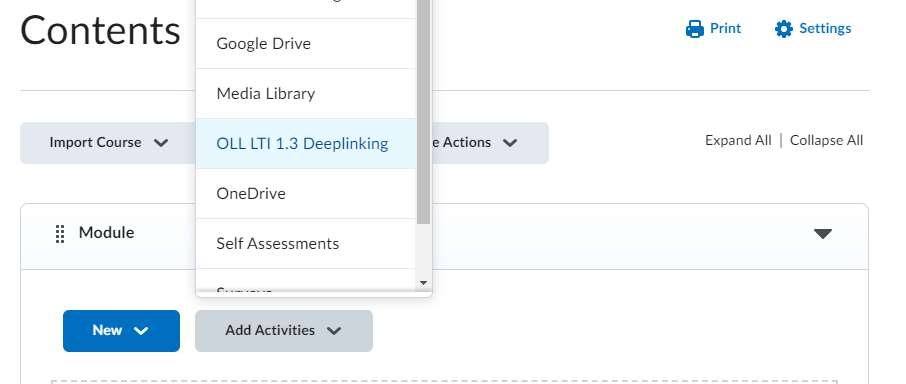
- In the new module, click “Add Activities.” There will be a list of all of the tools available in your course. Look for one titled something like “Oxford Learning Link LTI 1.3” (the suggested name from our tool setup document), and click its name.
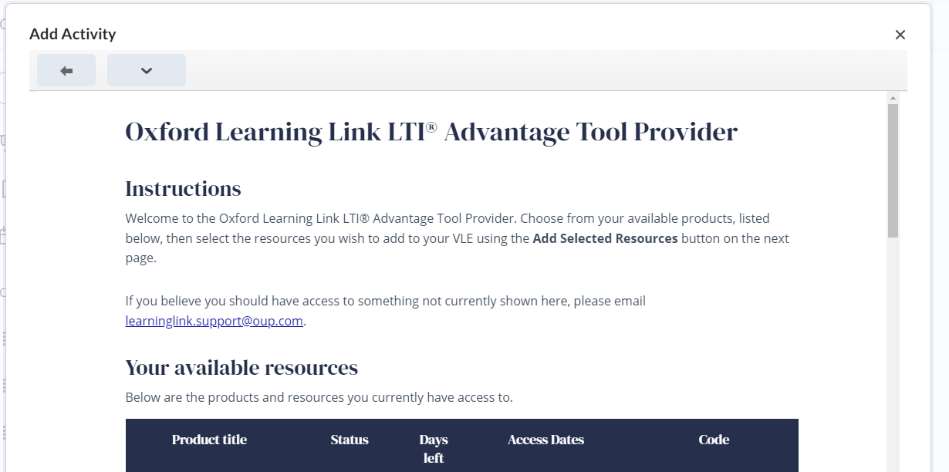
- A screen will load that shows all products to which you have access. Provided you have gone through the usual process to gain access to Oxford resources, you should have access to the product(s) you have adopted. Click the name of the product from which you would like to import resources (usually [Title] Student Resources.)
- Please Note: While instructors can add resources from any product to which they have access, students will NOT be able to access Instructor-only resources, and will need to purchase or redeem access to any Student resources.
- Please Also Note: The LTI 1.3 protocol does not support QTI question bank imports; if instructors wish to import Test Banks for their titles natively into their system, they will need to import these separately via the Test Bank course package (where available).
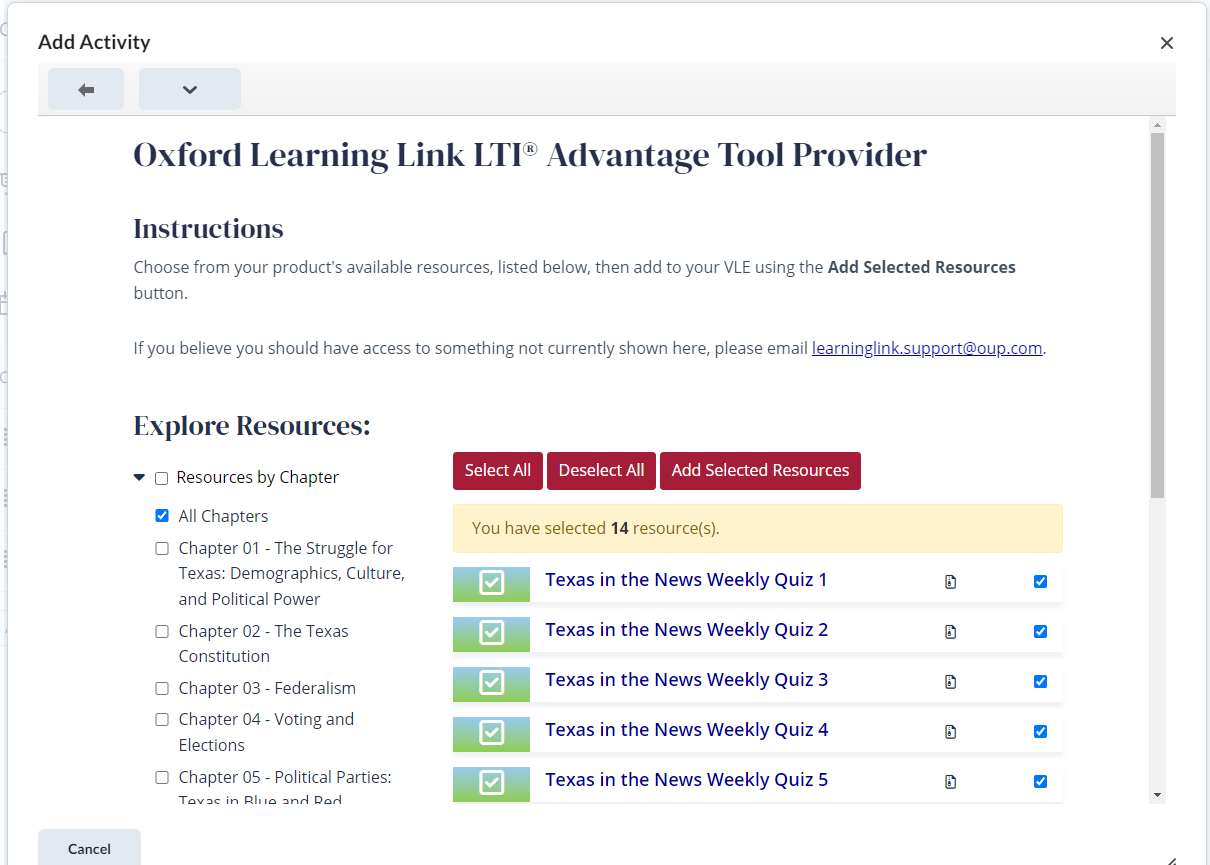
- Inside the product is the Resource selection tool. You may use the tag navigation on the left to choose one or more classes of resource to view and select – Resources are arranged by location in the book (usually by Chapter) and by type of resource (all of the flashcards, all of the chapter quizzes, etc.).
- Make sure the boxes are ticked next to all Resources on the right that you wish to import into your initial course container (say, all of the Resources you’d like to use in your introductory lesson) by either using the red “Select all” and “Deselect all” buttons, or by toggling individual check boxes.
- Click the red “Add Selected Resources” button at the top of the list on the right.
- All of the Resources you selected should now be inside of the module you created, and any assignable materials should have grade book items created. From here, you may repeat these steps (making modules and importing additional Resources), or begin using/assigning Resources in your course.
Additional Resources