

-
- Online Course Development
- Online Program Development
- Program Guidelines
- Accessible Technology
- Center for Teaching and Learning
- Contact Us
- For faculty and staff questions about online teaching or course design, submit your questions to the Learning Technologies portal.
Walk-in Consultation Hours for Faculty and Staff
Monday-Friday 9 a.m. - 3 p.m.
Room 326 Raynor Library
For more in-depth questions and course consultations, schedule an appointment with one of our Instructional Design and D2L Specialists
PROBLEM WITH THIS WEBPAGE?Report an accessibility problem
To report another problem, please contact emily.newell@marquette.edu.
MATLAB
Adding Matlab as an external learning tool in D2L
Walkthrough
To add Matlab as an existing activity, please navigate to the Module you want to insert it and then select Add Existing Activities
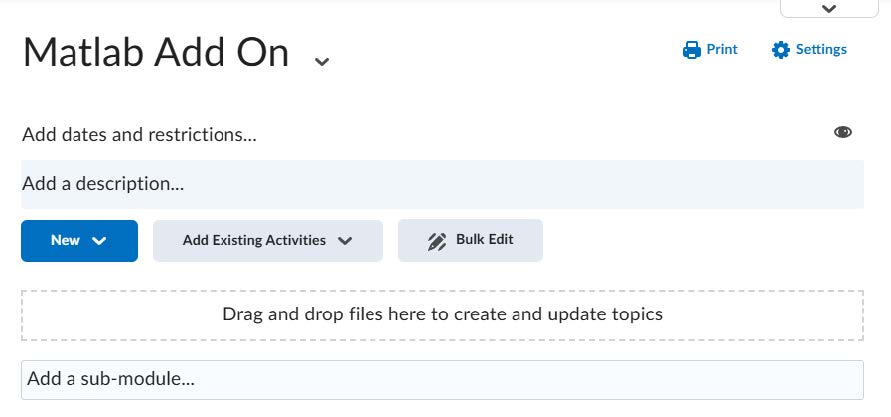
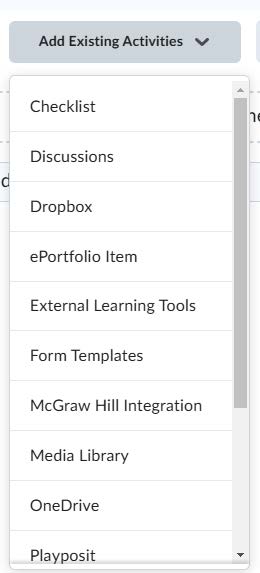
Under Add Existing Activities select the option titled External Learning Tools
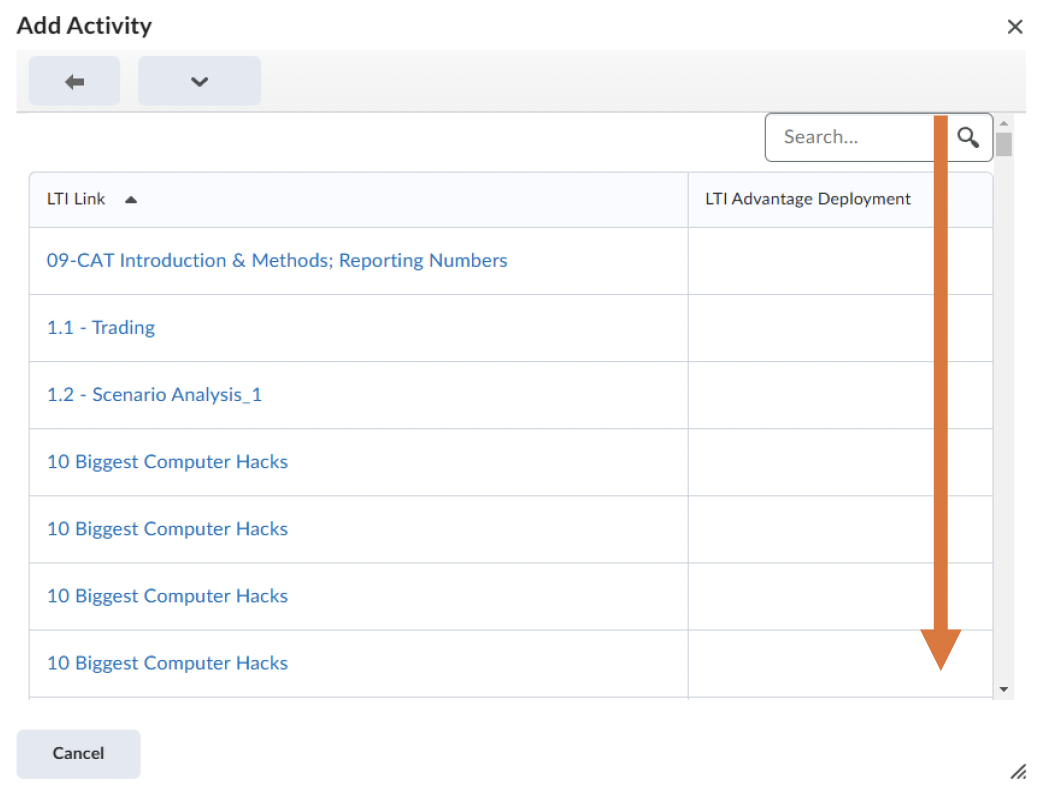
A window will pop-up that says Add Activity on the top and a list of any LTI links that you have added in the past. Scroll all the way down to the bottom of that list.
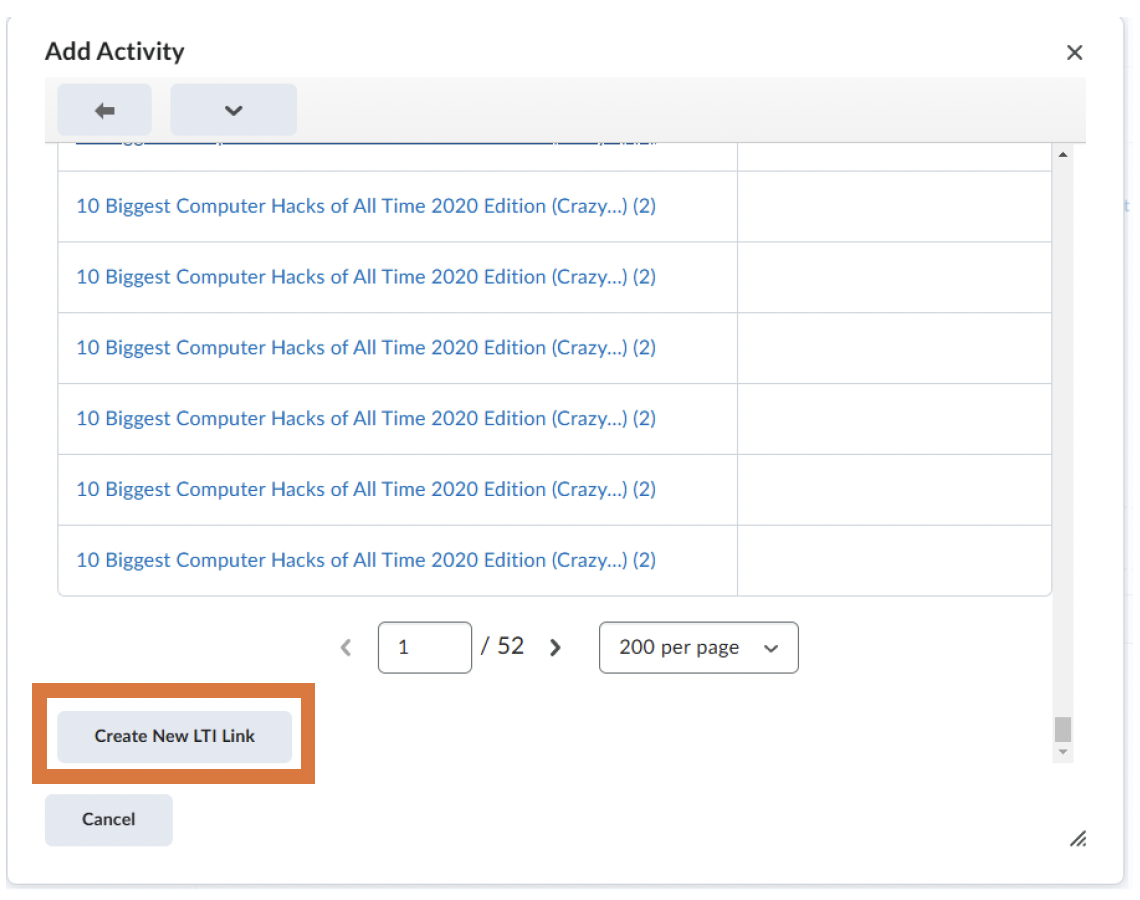
At the bottom of the list will be a button titled Create New LTI Link, select that.
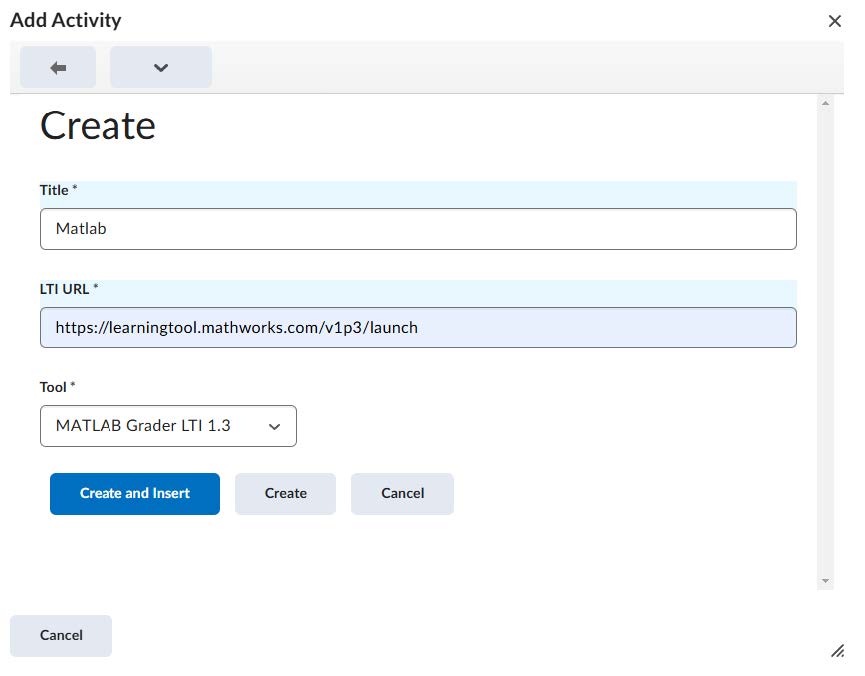
The window will now have you in Create mode with three sections for you to fill in.
Under Title write Matlab
Under LTI URL Paste the following link: https://learningtool.mathworks.com/v1p3/launch
Under Tool the window will automatically update to select MATLAB GRADER LTI 1.3, leave that as the selection.
Then, select Create and Insert
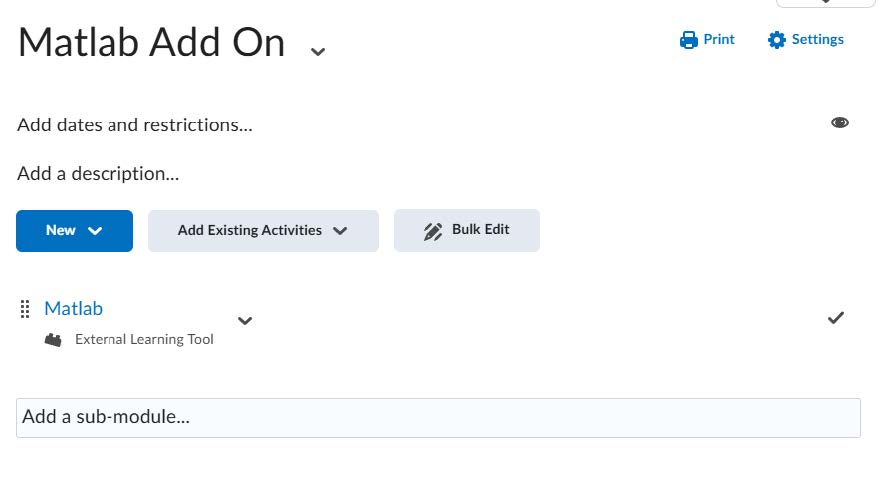
The Activity will now be under your list of added activities in your D2L module.
Video Instructions