Microsoft Enterprise Data Protection (EDP) protects your Copilot prompts and responses while on Marquette’s Microsoft 365. With EDP, your Copilot use follows the same protections that cover your Marquette email and files, including:
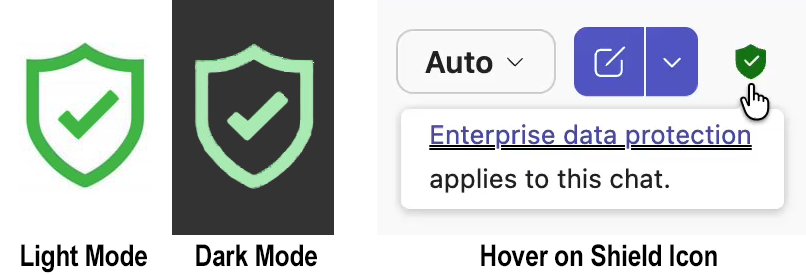
When you see the green shield icon in Copilot, you know EDP is active. Hovering over the shield confirms that enterprise data protection is in effect for your current session. When EDP is enabled, this shield appears in a consistent location depending on the Copilot tool being used.
This is the most important tool to verify, because Copilot Chat can be accessed without signing in or without a Marquette-issued Microsoft 365 Copilot license.
✅ EDP ACTIVE — You're signed in with your marquette.edu account. The green shield icon is visible next to the New Chat button at the top of the interface.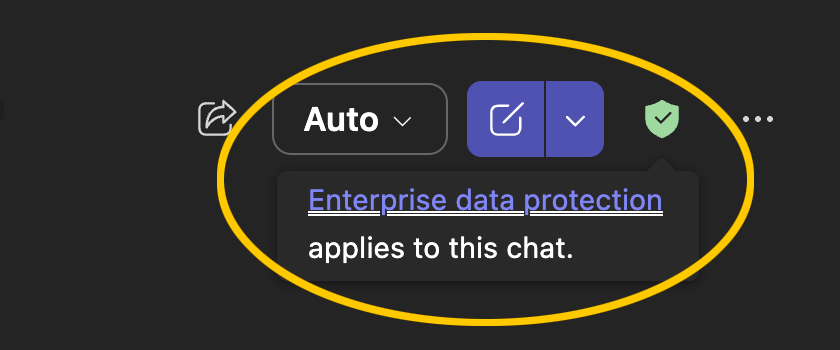
❌ EDP NOT ACTIVE — You're not signed in, or you're signed in with a personal Microsoft account. No green shield is visible. In this state, your prompts are not covered by EDP. Do not enter any Marquette data, student information, or sensitive institutional content.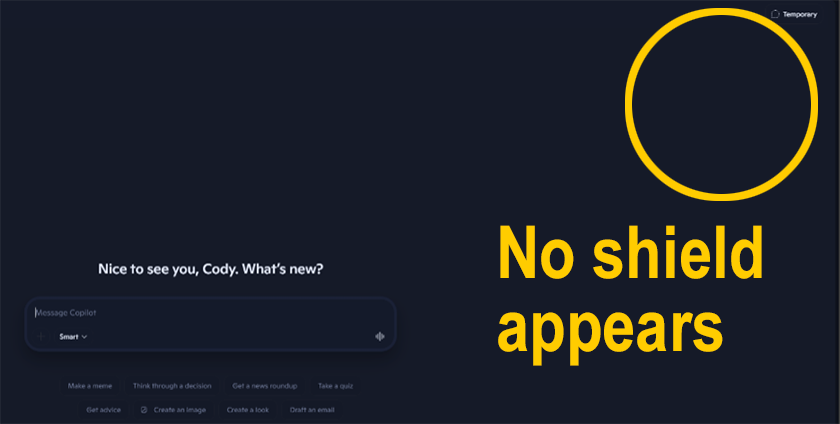
This is Copilot in Word, Excel, PowerPoint, Teams, Outlook, and more. EDP is automatically active for all licensed Microsoft 365 Copilot users at Marquette. Access requires your Marquette credentials and an assigned license — both of which ensure EDP is in effect by default. No additional steps are needed to enable protection.
✅ EDP ACTIVE — Protection is always active for licensed Marquette users. The green shield is visible in the Copilot panel within each Microsoft 365 application.

Copilot Studio agents built and published within Marquette's Microsoft 365 inherit EDP protections by default. Access requires Marquette credentials and appropriate licensing.
✅ EDP ACTIVE — Protection is always active for all Marquette tenant-published agents. Your Marquette account sign-in is required for access. This login serves as confirmation that EDP is in effect.
| Tool / Access Method | EDP Active? | How to Confirm |
|---|---|---|
|
Copilot Chat — signed into marquette.edu |
✅ Yes |
Green shield next to New Chat button |
|
Copilot Chat — not signed in or using personal account |
❌ No |
No green shield visible |
|
Microsoft 365 Copilot (Word, Excel, Teams, etc.) |
✅ Yes |
Green shield in Copilot panel |
|
Copilot Studio (Marquette tenant) |
✅ Yes |
Marquette sign-in required for access |
Contact the IT Services TechSquad.

