Key steps for undergraduate students applying for financial aid
Applying for financial aid can be a painless process if you keep in mind some helpful hints and follow the instructions provided here. If you'd like to determine how much aid you'll need to attend Marquette, please visit the Marquette Net Price Calculator.
FAFSA Overview and Helpful Hints
-
1. Get Organized
-
2. Start the FAFSA Online
-
3. Follow Up
To complete the Free Application for Federal Student Aid (FAFSA), you need to:
- Create a Federal Student Aid ID (FSA ID) username and password online. You will use this to sign the FAFSA online.
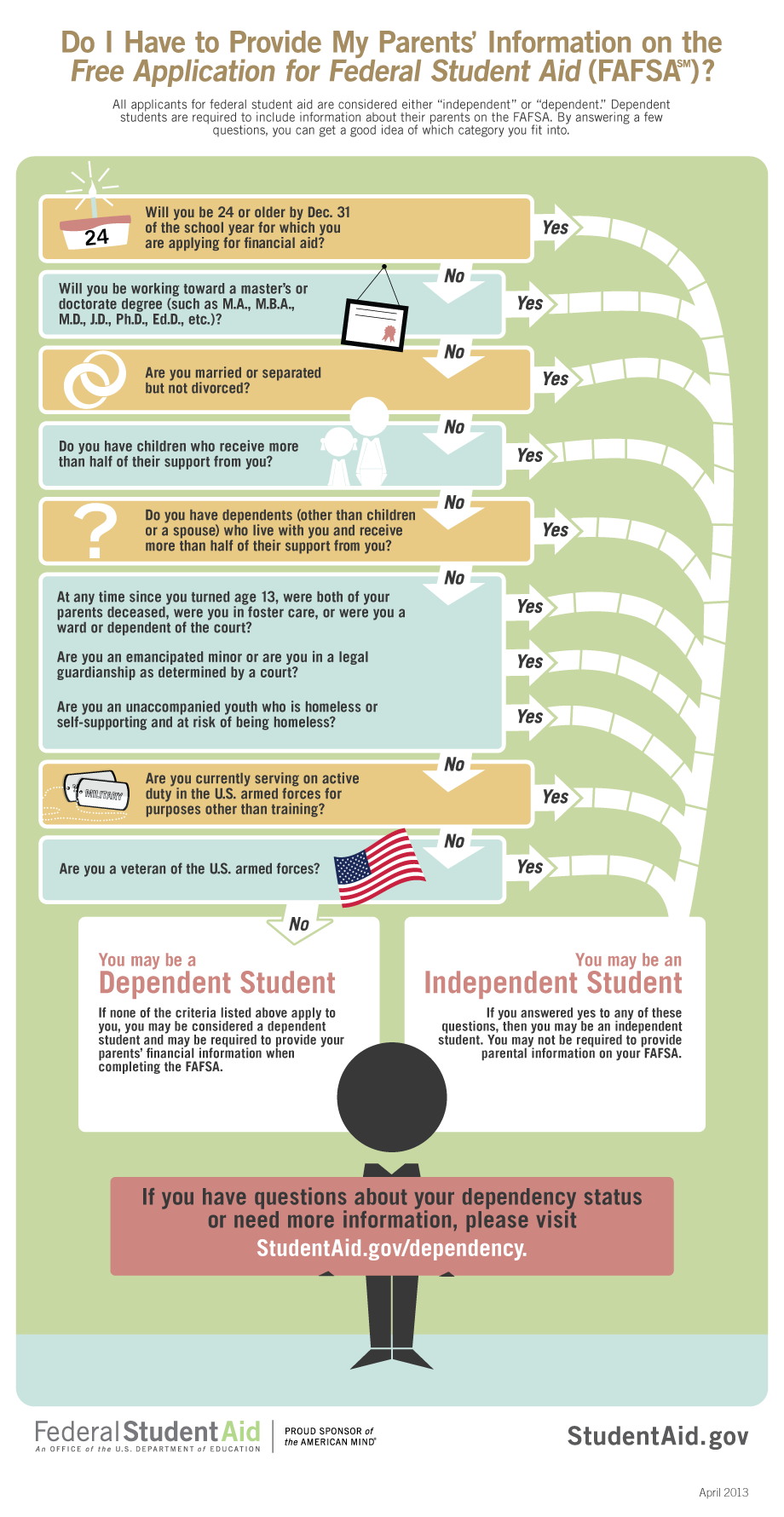
- Use this guide to help determine your dependency status.
- If you are a dependent student have your parent create or retrieve their FSA ID online. They will use this to complete the parent portion of the FAFSA once the student has completed theirs.
- Use this guide to find out what parent information needs to be included on the FAFSA.
- Apply early - file your FAFSA as soon as you can.
Complete all sections about you, your school plans, and financial information, don’t leave blank spaces.
- Go to the FAFSA website.
- List Marquette University. Our school code is 003863.
- Avoid common errors. Enter your correct date name, date of birth, etc.
- Make sure to use your legal name as it appears on your Social Security Card.
- Dependent students must have a parent complete the parent portion of the FAFSA.
- Sign and submit the FAFSA using your FSA ID. If you are a dependent student, don't forget to include your parent's FSA ID too, or your FAFSA will not be accepted.
- Your Student Aid Index (SAI) is calculated from information you provided on the FAFSA. The SAI is used to determine your financial aid eligibility
- Print out and keep a copy of your submitted information for your records.
After you file the FAFSA: